


Today we're opening the beta for Data Apps: a new way to build fully custom, governed data applications inside Lightdash, powered by your semantic layer.
Type a prompt and get a working app with live data, your defined metrics, and governance intact.
Everyone is building with AI
Modern data teams are in a strange position.
On one side: your semantic layer is solid and all your data is governed. On the other side: the moment someone wants a custom data experience, the options are painful.
AI tools are fast and fun to use, but expose your data to LLMs with no governance in sight. They don't use what you've already built. Your semantic layer sits there, fully defined, doing nothing while these apps fetch raw SQL from somewhere else.
Data Apps is the governed alternative. Your team gets the same speed and flexibility of AI tools but every query runs through your semantic layer. Your metric definitions, your access controls, your row-level security. All of it is automatically applied to every app anyone builds.
How do Data Apps work?
Creating a data app in Lightdash is simple. Just type a prompt to start.
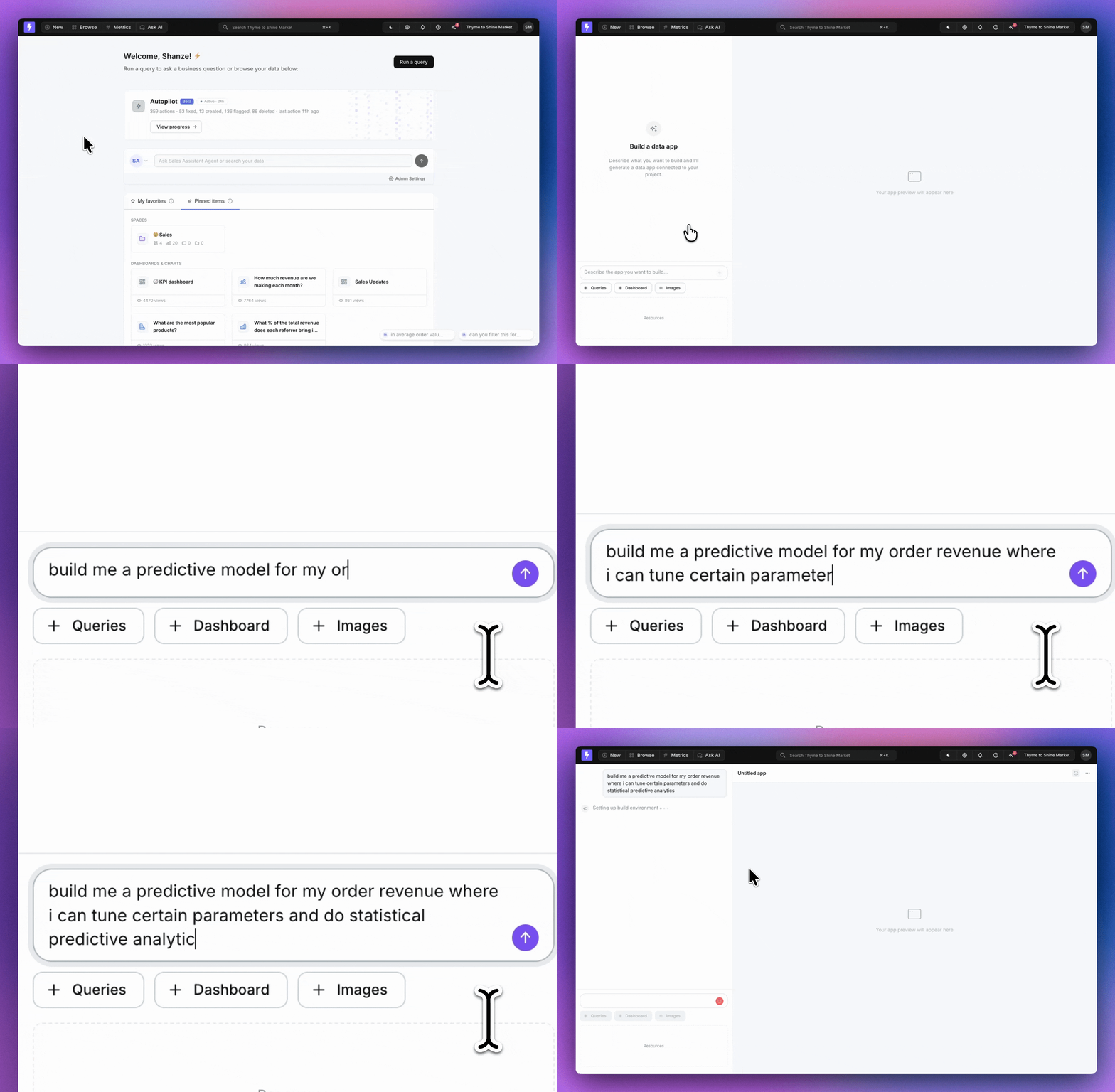
Here’s what’s happening in the background
Lightdash starts a secure sandbox with everything needed to build a high performance data app.
It generates the data app you've asked for.
Lightdash opens a preview of your app which runs live queries directly against your semantic layer.
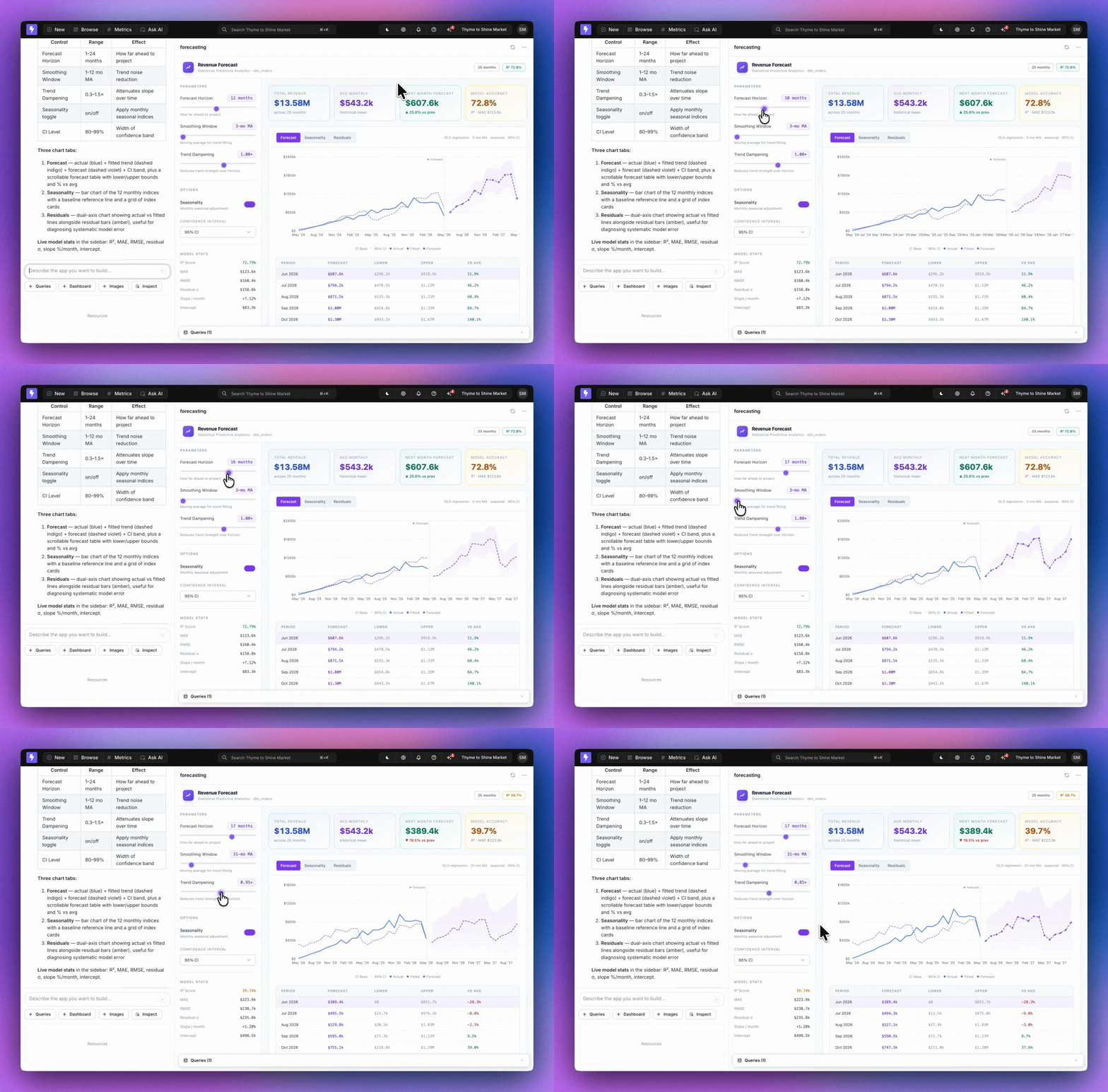
If you want to edit anything in your app, you can tweak it right there in the UI using the Inspect feature.
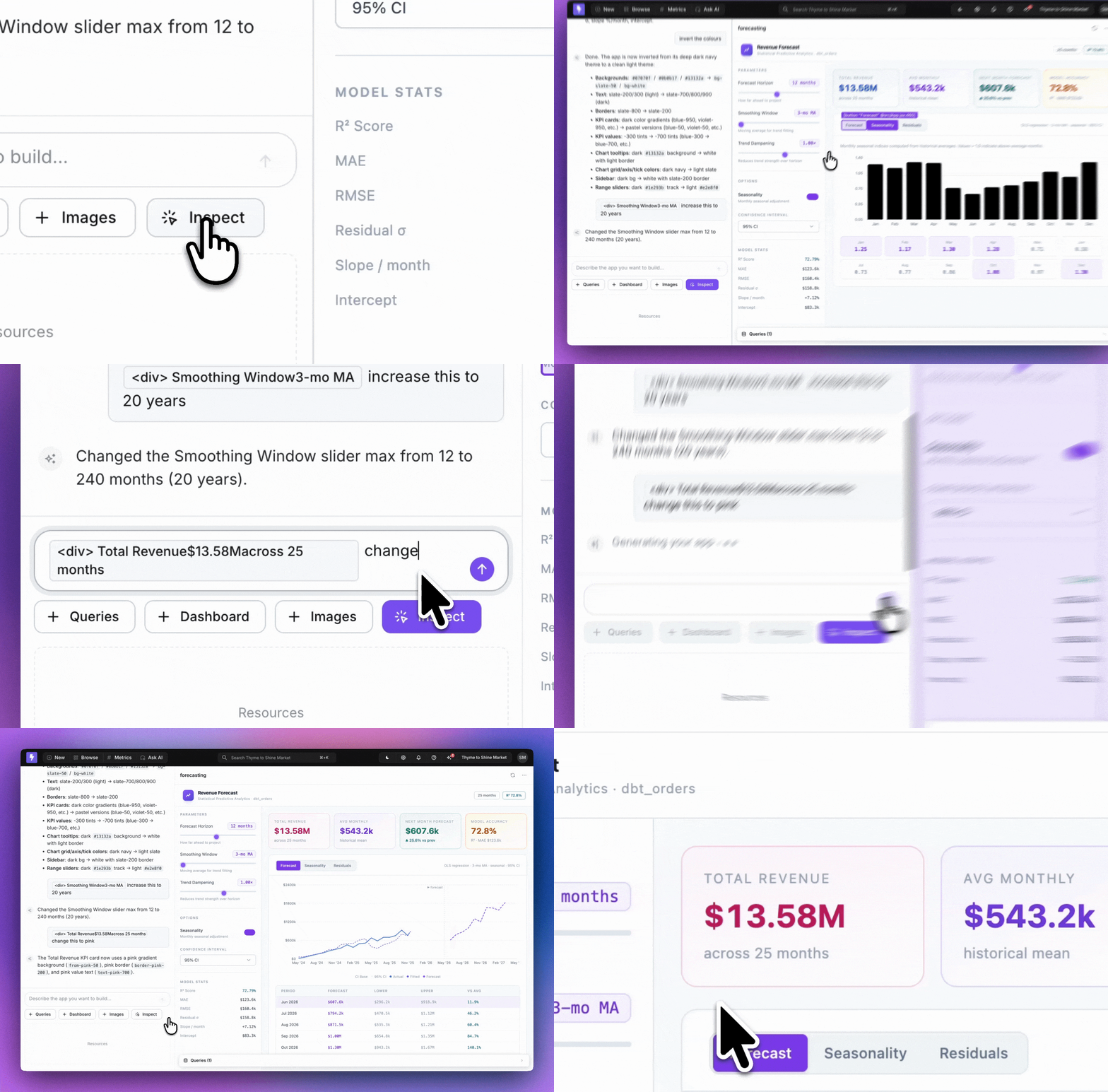
When you're ready, save it to a space and share with your team.
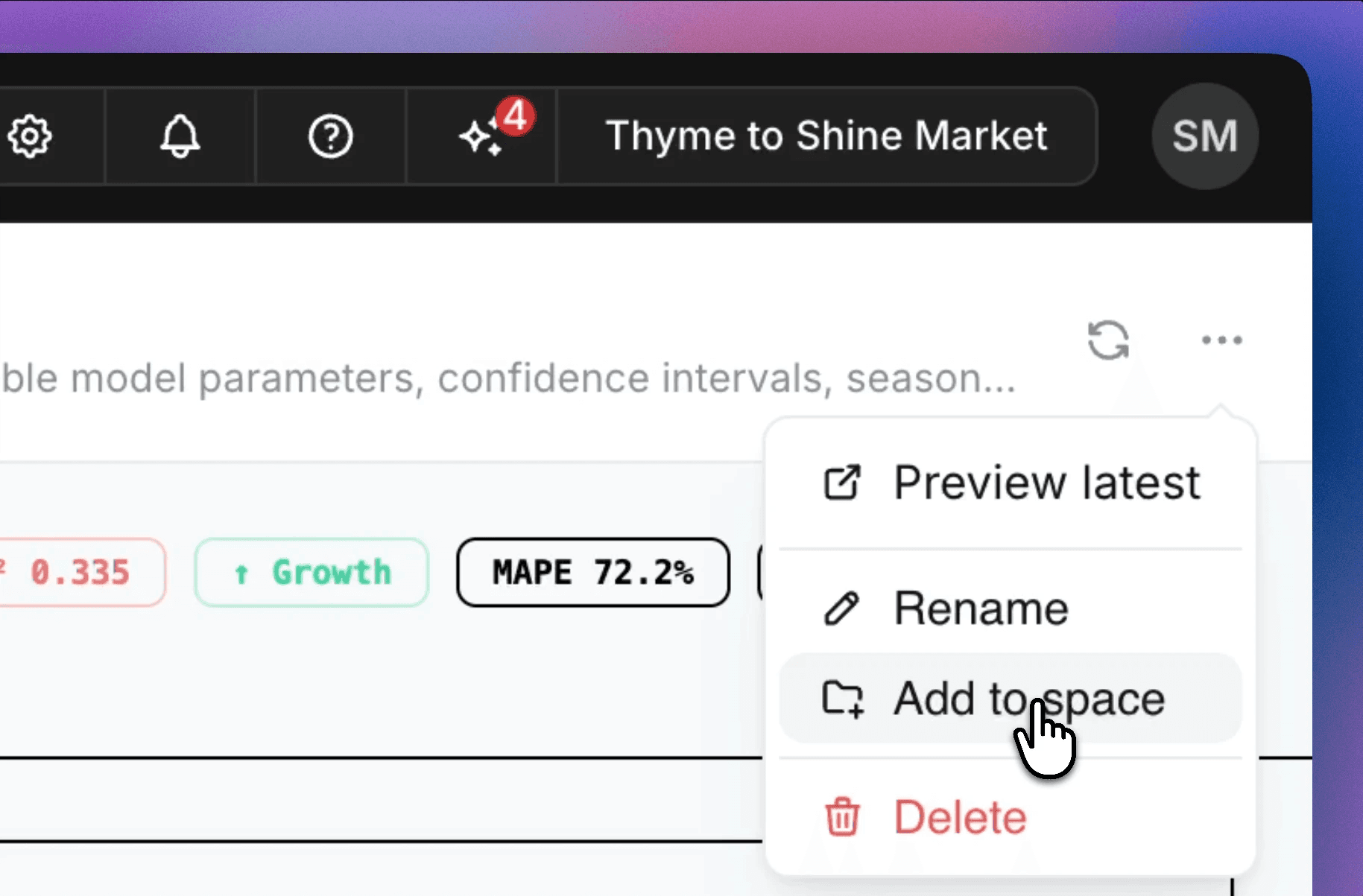
The entire thing takes minutes. And crucially: your data governance doesn't disappear.
Full transparency, built in
When we say Data Apps are governed, we mean it in two very specific ways.
Every query is visible.
Every app has a queries tab that shows exactly what was run to generate it. There's no black box. You can see precisely where the data came from and how it was calculated. That's a level of transparency that no AI-generated tool built outside your data stack can give you.
Access controls are inherited automatically.
Data Apps live inside Lightdash, which means they inherit the exact same permissions your team has already set up. If someone doesn't have access to revenue data, they won't see revenue data in the app, even if you send them the same link as everyone else. You control who can see which app. But you can also send one app to your entire company and trust that each person sees exactly what they're supposed to see, nothing more.
This is the thing that makes Data Apps fundamentally different from anything built with other AI tools. Those tools are fast. But they don't know who's asking, what they're allowed to see, or whether the query they're running is the right one. Data Apps do.
What teams are already building
We've been running Data Apps with enterprise design partners since the start of this year. Here's what they're building:
Forecasting tools.
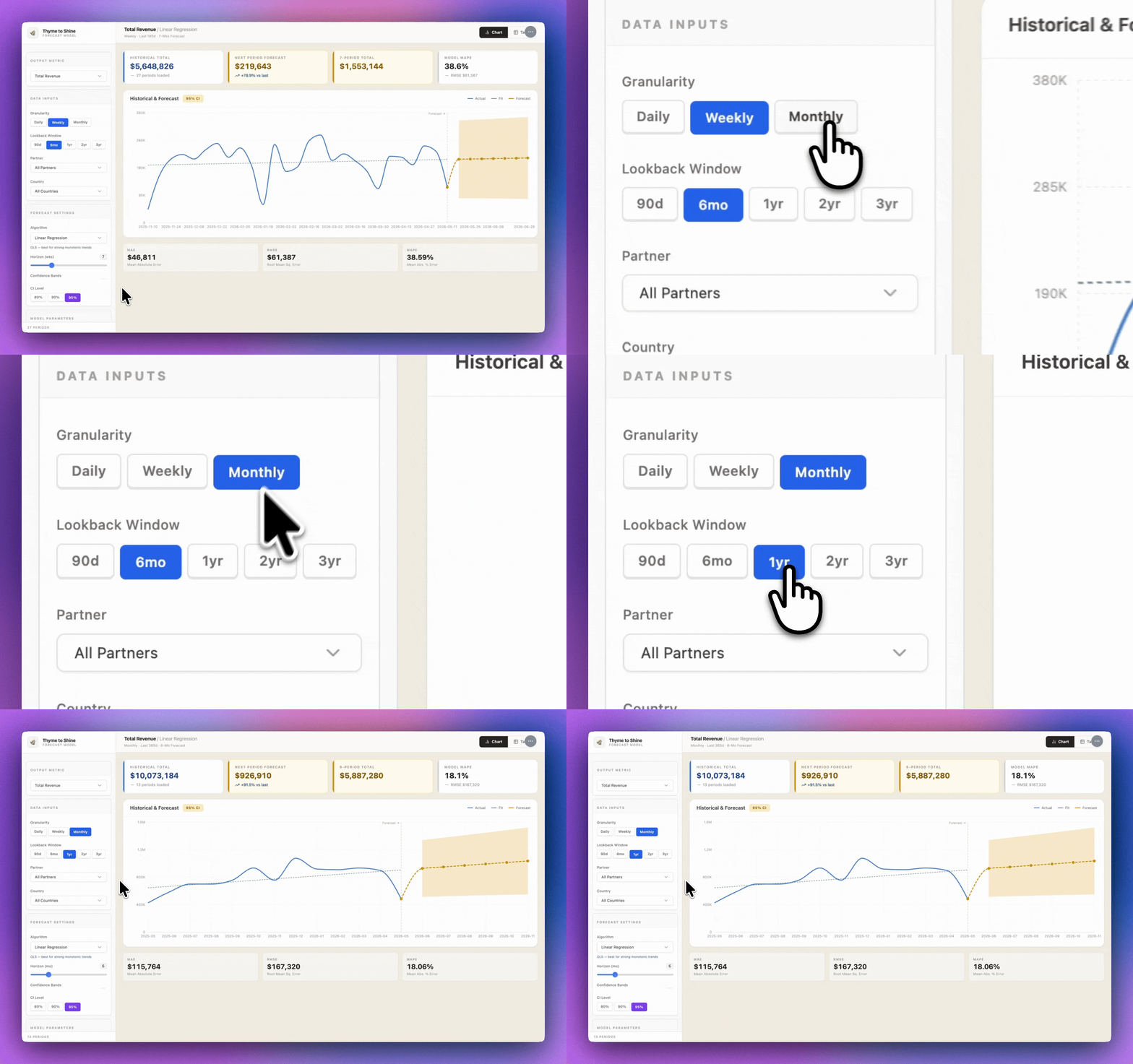
Put your data to use by building tools for scenario planning and live projections . No engineer required to set up.
One of our design partners described their first moment with it: "I prompted it to build a forecasting app and it just... worked. With our real data. In a few minutes."
Slide decks with live data.
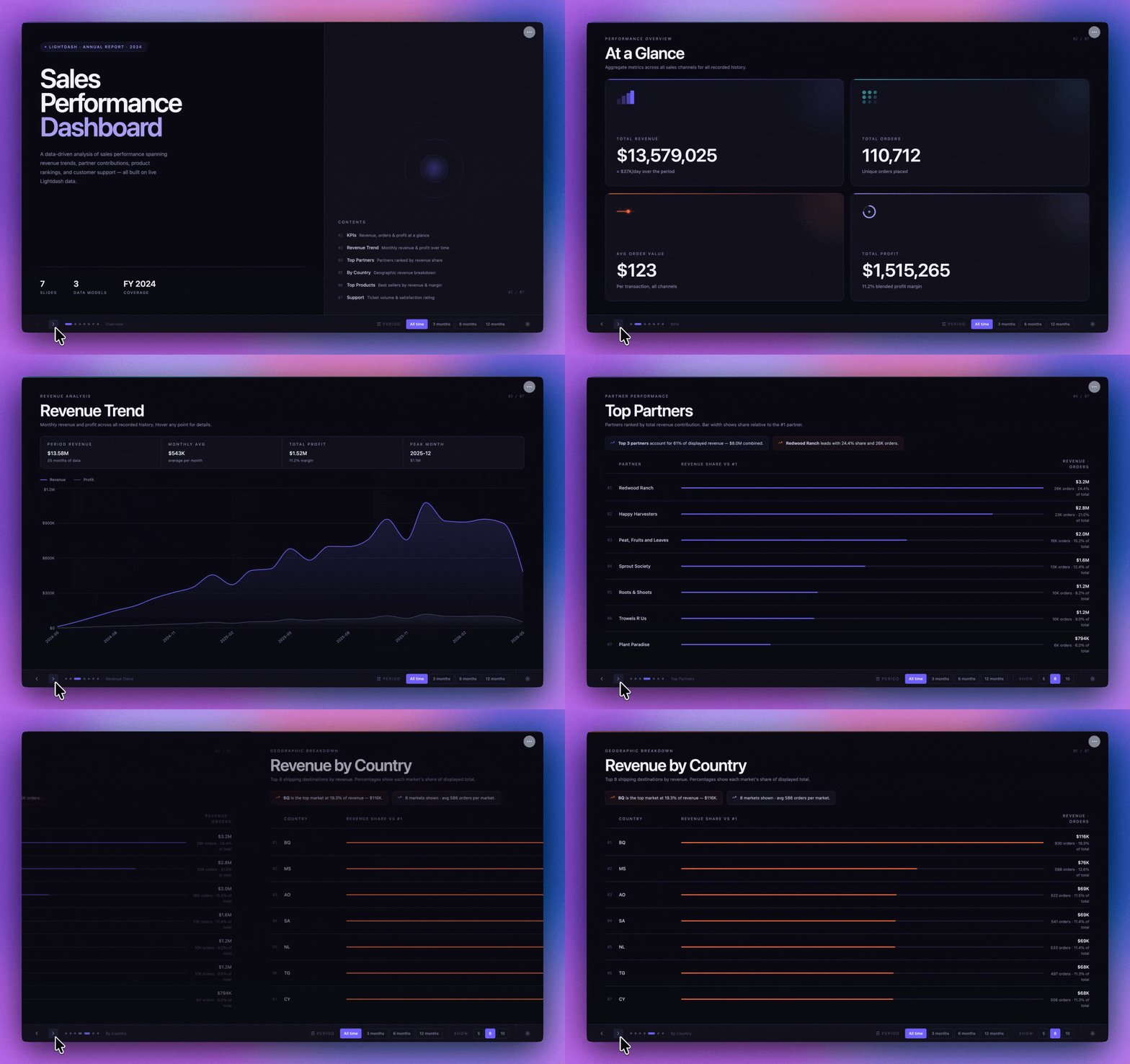
All slides built as apps so teams can stop pasting screenshots into slides. The deck lives in Lightdash and the numbers stay up to date. So, no one needs to rebuild the deck before a meeting.
Internal reports.
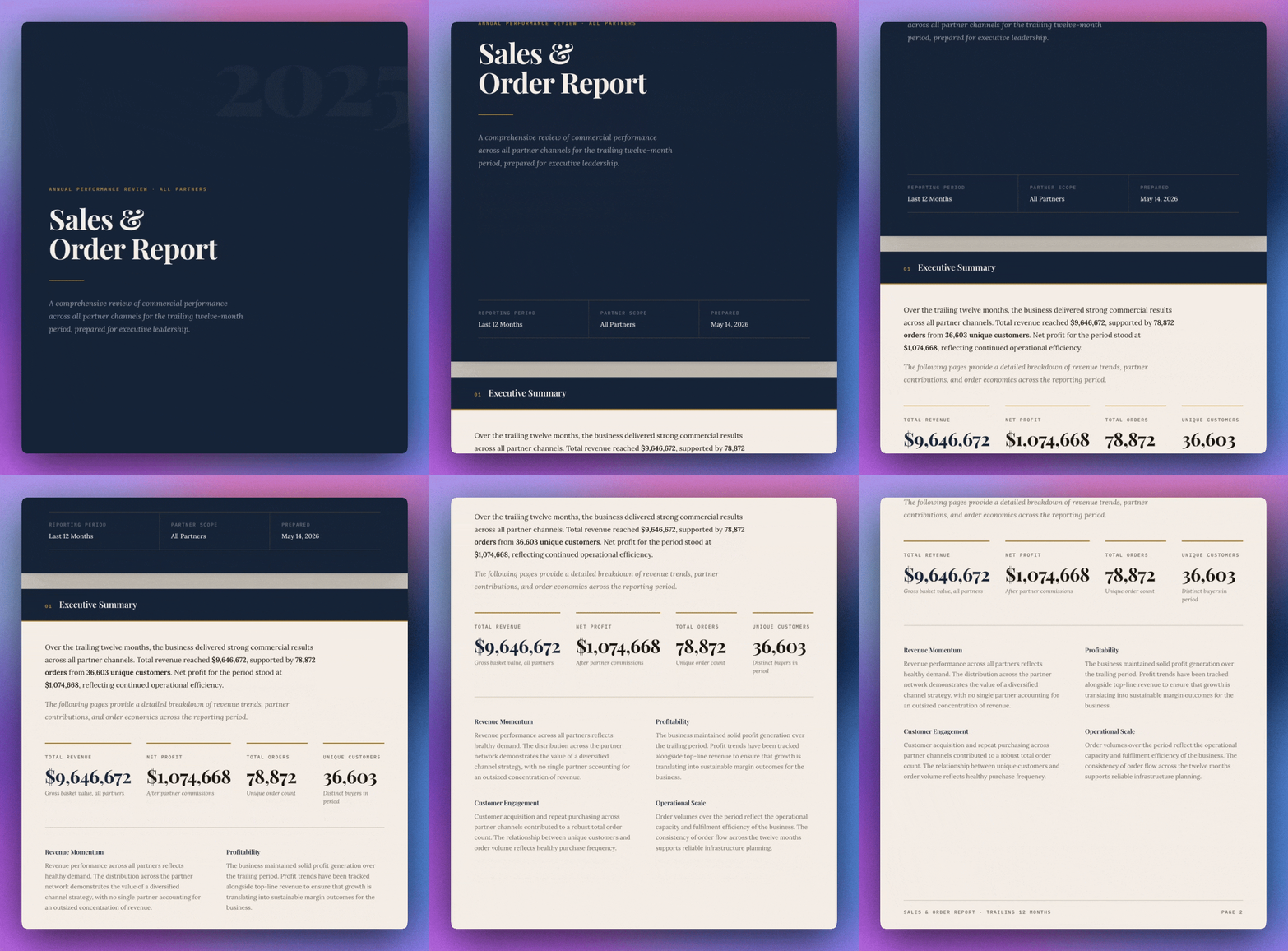
Weekly ops updates, finance summaries, team performance reviews - all with live data baked in instead of last night's export. Create it once and you're done.
Spreadsheets.
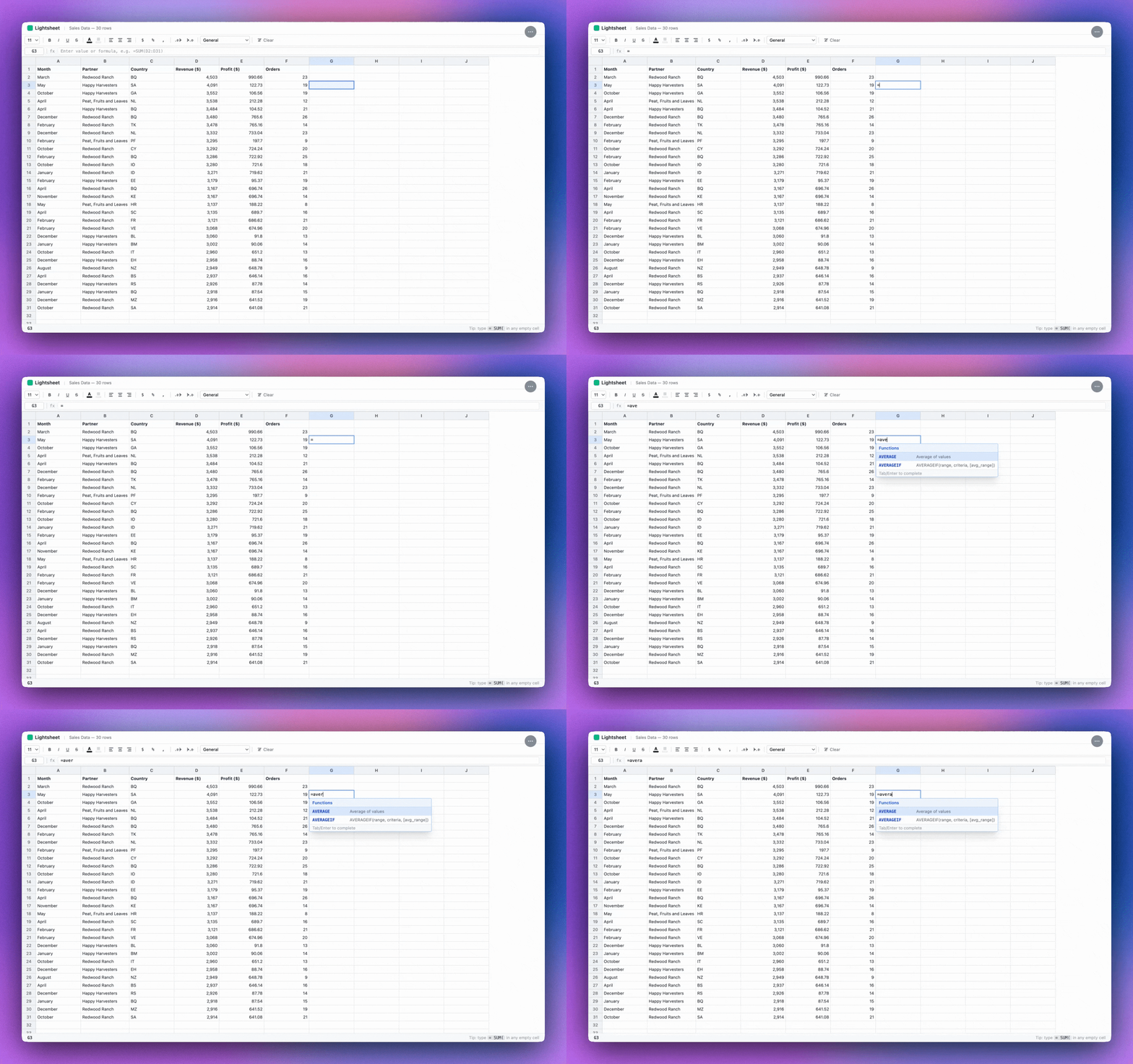
The data finance and ops teams have been pulling into spreadsheets manually, now delivered as a live, governed app. Same familiar format, none of the manual work.
Data canvas.
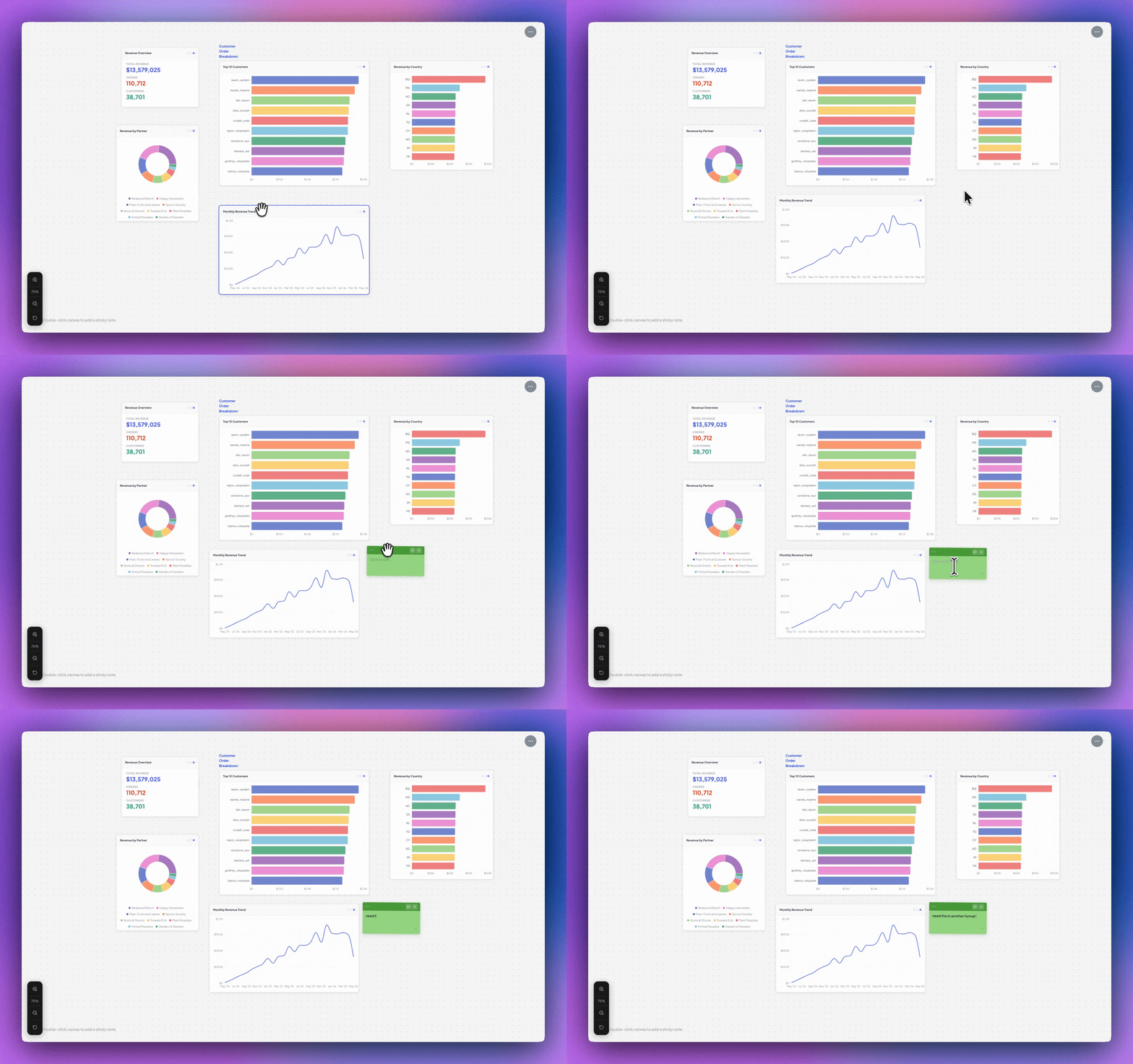
A visual, flexible workspace for exploring data. The kind of freeform layout that a standard dashboard can't give you. Built from your semantic layer, governed by default.
Join the beta
Data Apps is live for Lightdash Cloud customers today. Get in touch with our team to start using the feature.
Not a Lightdash customer? Join the waitlist →
Ready to free up your data team?
Try out our all in one open, developer-loved platform.